
COURSE CURRICULUM
WHEN:
- Tuesdays 13 sessions
- 3/17, 3/24, 3/31, 4/14, 4/21, 4/28, 5/5, 5/12, 5/19, 5/26, 6/1, 6/8, 6/15
- 5 pm- 6 pm ( All Grades)
( Please specify grade when registering)
WHERE:
274 Garfield Pl, Brooklyn, NY 11215
Level 3: Creative 3D Design & Invention
Focus: Apply design thinking and creativity to real-world and imaginative projects. Students move beyond basics into purposeful, functional design.
Tinkercad Level 3: Game Asset Design is a 10-week advanced course where students design professional 3D assets for Roblox and Minecraft while building a digital portfolio of 10+ original creations.
Webpage Course Hero Section
Tinkercad Level 3: Game Asset Design (Roblox & Minecraft)
In this advanced 10-week studio, students level up from players to creators, learning to design polished 3D assets ready for use in pri
vate worlds of Roblox and Minecraft. By the end, each learner leaves with a curated digital portfolio of 10+ custom game items they built from scratch.
Perfect for Grades 4–8 who already know the basics of Tinkercad and are ready for a deeper design challenge.
Illustration ideas for the hero
-
A split screen: left side shows a Roblox avatar wearing custom wings and a helmet; right side shows a Minecraft-style dungeon room built from modular tiles.
-
A laptop screen with Tinkercad open, showing a 3D model, with icons of Roblox and Minecraft next to exported OBJ/STL files.
What Students Will Learn
Students advance beyond simple shapes into production-style workflows for game assets.
-
Industrial design for games: Create helmets, wings, tools, and props that match the correct in-game scale so they “fit” Roblox and Minecraft characters and worlds.
-
Modular engineering: Build snap-together “kits” such as dungeon tiles, walls, and furniture that can be reused to assemble large worlds efficiently.
-
Asset optimization & problem solving: Learn how to reduce part counts so levels run smoothly without lag on typical home devices.
-
Asset management pipeline: Export designs from Tinkercad as OBJ/STL and import them into Roblox Studio or Minecraft-compatible tools for private-world testing.
Illustration ideas for this section
-
A “kit” of modular parts laid out (walls, floors, doors, props) that combine into a larger du
-
ngeon scene.
-
A before/after pair: a very complex high-part model next to a simplified, optimized version labeled “Faster, smoother gameplay.”
Weekly Breakdown (10 Weeks)
Each week blends a short design mini-lesson with guided studio time.
Weeks 1–3: Roblox Fashion & Gear
Students design character-focused items that feel “store-ready.”
-
Custom wings, helmets, masks, and handheld tools that sit correctly on a Roblox avatar.
-
Emphasis on proportion, symmetry, and expressive visual style.
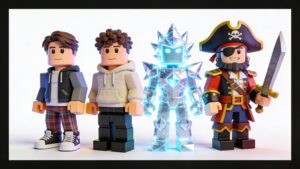
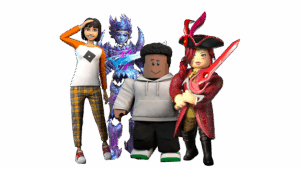
Illustration idea: a lineup of three avatars, each wearing a different student-designed accessory set.
Weeks 4-6 Minecraft Word Building
- Students shift to environmental design using modular thinking.
-
Dungeon tiles, corridors, and rooms that align cleanly on a grid.
-
Decorative furniture and set pieces to bring their worlds to life.
- Illustration idea: a top-down view of a dungeon “map” assembled from repeating tiles designed in Tinkercad.
Weeks 7–9: Mechanical Design
Students explore moving parts and interactive elements.
-
Vehicles, doors, traps, and other mechanical objects are made from independent components.
-
Discussion of how these parts might be animated or scripted later in game engines.
Illustration idea: an exploded-view drawing of a simple vehicle or trap, with arrows showing how parts connect.
Week 10: Grand Integration & Live Test
Students assemble, export, and test their work.
-
Clean up final models, export as OBJ/STL, and import into Roblox Studio or Minecraft private worlds for a live play-test.
-
Students present their favorite assets as a mini digital portfolio.
Illustration idea: a collage screenshot showing a Roblox or Minecraft scene populated entirely with student-built assets.
Materials, Skill Level, and Requirements
We keep tech requirements simple so students can participate from home or school.
-
Hardware: PC, Mac, or Chromebook with a reliable internet connection; a mouse with a scroll wheel is strongly recommended for smooth 3D navigation.
-
Software:
-
Free Tinkercad account (web-based, no installation required).
-
Optional: Roblox Studio (free) and/or Minecraft Java/Bedrock if students want to test assets in-game.
-
-
Prerequisite skills: Comfort with Tinkercad navigation (Move, Rotate, and Hole tools) and basic shape manipulation.
Important note: Using custom items in public games or marketplaces may require additional game-side permissions (such as Roblox Premium for UGC uploads), but importing and testing in private creative worlds is free.
Illustration ideas for this section
-
A simple “tech checklist” graphic: icons for laptop, mouse, Tinkercad, Roblox, and Minecraft in a row.
-
A small diagram showing the workflow: Tinkercad → Export OBJ/STL → Roblox Studio / Minecraft.
Outcomes and Portfolio
 By the end of the program, each student will have a personal library of game-ready 3D assets and a clear understanding of how digital design connects to real game engines.
-
A digital portfolio containing at least 10 original assets (wearables, tools, tiles, props, and mechanical builds).
-
Improved spatial reasoning, visual communication, and iterative design habits.
-
Confidence using Tinkercad for game design, STEM projects, and future creative work.
Illustration idea: a gallery-style grid of thumbnail renders of student assets (wings, helmets, tiles, vehicles) labeled “Student Portfolio Highlights.”